JAMIE OLIVER Jamie Oliver by Tefal Rotating Gas Pizza Oven, Home Pizza Oven, Gas Pizza Oven, 360° Inner Rotating Stone, Gas connector, Peel
Jamie Oliver by Tefal Rotating Gas Pizza Oven, Home Pizza Oven, Gas Pizza Oven, 360° Inner Rotating Stone, Gas connector, PeelAuthentic homemade pizza with a twist
Getting loved ones round for a pizza party is one of my favourite things to do – nothing compares to that homecooked taste. And my new pizza oven isn't just a flavour-maker, it's a fun-maker! Spin the dial on the side to rotate the pizza stone, so you don't need to shuffle your Margherita around for the perfect bake. I just love it!
Take your homemade pizzas to the next level with Jamie's new rotating pizza oven.
With the Jamie Oliver by Tefal Rotating Pizza Oven, it's never been easier to perfect your homemade pizza game. The spinning stone ensures even cooking, so you'll be tucking into beautifully baked pizzas every time. Combine that with the ease of using gas (less mess to clean up than charcoal), foldable feet for easy storage and Jamie's favourite recipes and your pizza parties have never looked or tasted so good!
Essentials
Easy, even cooking
Turn the hand-spun dial on the side of the oven to rotate the cordierite pizza stone, ensuring perfectly cooked pizzas every time (no burnt bits!).
Gas-fuelled for fast cooking
Turn on the oven and it will reach up to 400°C (the perfect cooking temperature) in around 20 minutes.
No previous skills required!
From quick installation to fast pre-heating, this gas-fired pizza oven is a breeze to use, whether you're a pizza beginner or a seasoned pro.
Temperature control
Adjust the flame thanks to a dial to ensure the crispiest outside and softest inside, for the perfect pizza in no time at all.
Everything you need
Pizza peel, rotating pizza stone, hose and gas regulator all included. Just pick up a gas bottle and a handful of ingredients for the perfect pizza party.
Easy to store
Its compact size and foldable feet make for easy storage and transportation (total product weight: 12.5kg). Carry cover bag sold separately.
All the recipe inspo you need
Classic Margherita or spicy pepperoni? Jamie shares an exclusive set of brand new recipes – all you need for a brilliant pizza party (shared on QR code).
For memorable moments
Jamie is all about getting loved ones together over good food. Fire up the oven, whip up a batch of pizza dough, and let your guests choose their favourite toppings. Guaranteed smiles all round!
You must create an account and log in to your app to access this feature.
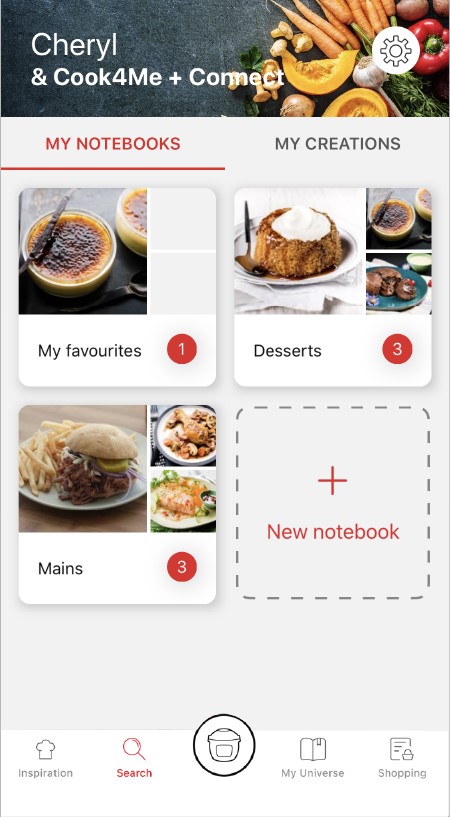
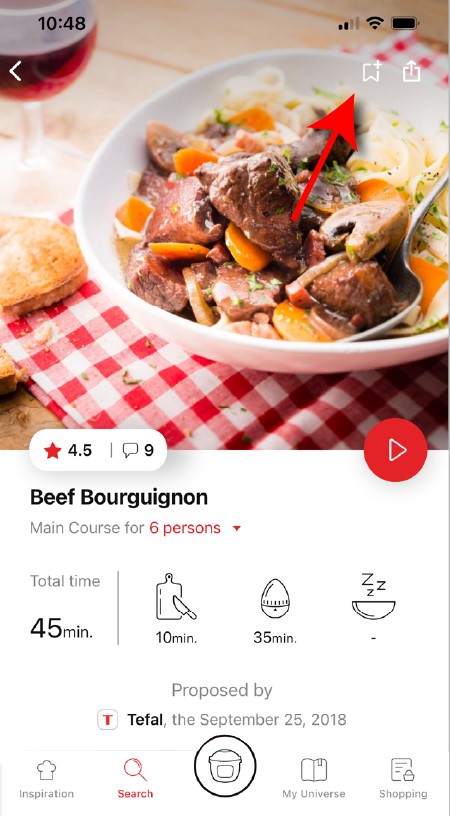
• Go to the recipe you wish to bookmark and select the bookmark logo in the top right corner. • A "My Notebooks" tab appears: select the "My Favorites" location. • The recipe has been added.
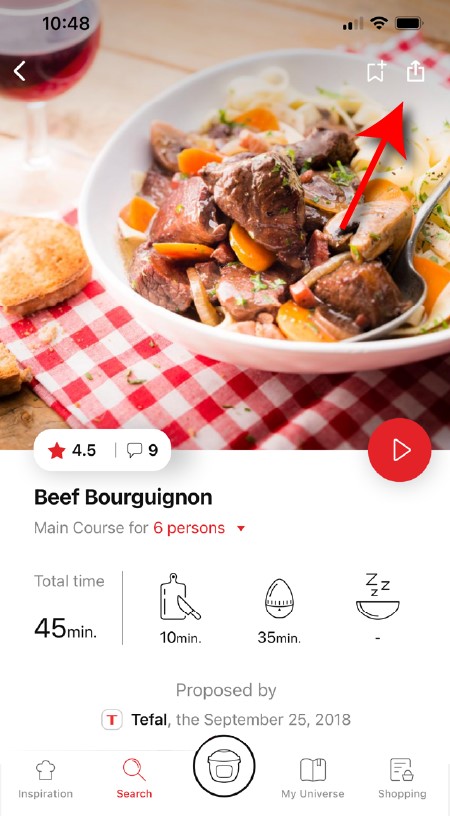
You need to create an account and sign in to the application in order to access this feature. Click the sharing logo to view the sharing options. You can then choose how you would like to share this recipe.
The application has rich content and requires a stable Wi-Fi connection to download correctly. If your application does not download correctly, delete it and try to download again when you have a more stable Wi-Fi connection. During initial installation, the download may take several minutes while the application saves all the photos on your Smartphone or tablet.
Your application uses notifications to alert you at the end of cooking times using a beep. If you want to turn off this signal, simply deactivate it in your tablet or Smartphone. You may also disable sounds in the parameter settings for notifications on your telephone or tablet.
Your application uses notifications to alert you when your cooking is finished but also to let you know when new content (information, recipe...) is available. If you wish, you can disable them from your smartphone settings.
You must create an account and log in to your app to access these features.
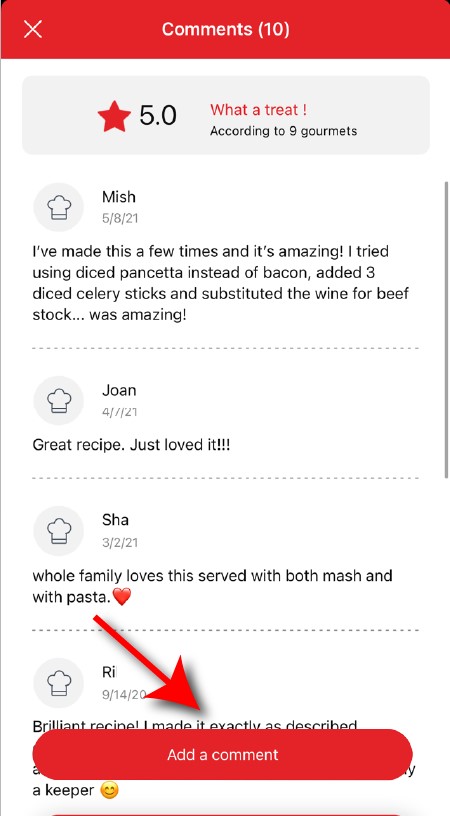
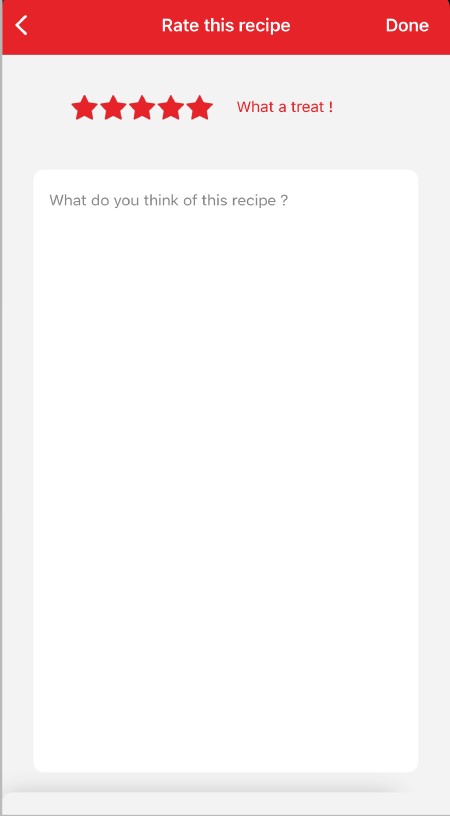
Once logged into your account, you will be able to rate the recipe and add a comment by following the instructions that appear on the screen after clicking on the notes/comments space.
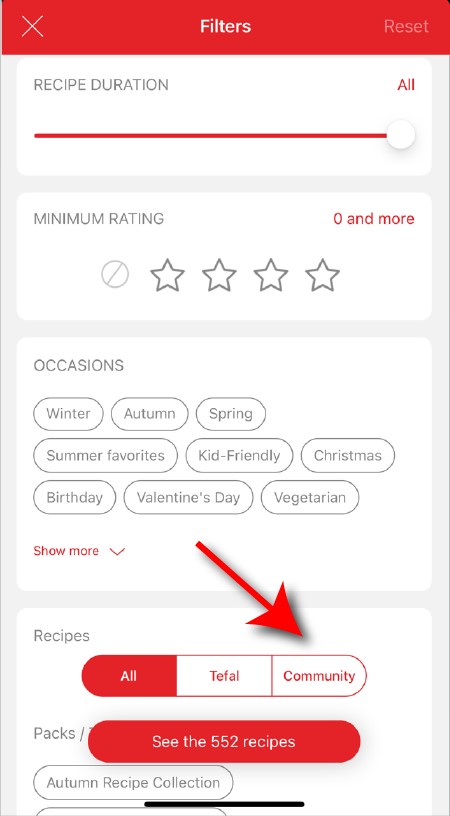
When using the search function, select "Filter recipes". In the "Recipes" section, select "Community" only. You will then be able to see the recipes from the community.
Once you have completed your search, specific filters make it easier for you to find the recipes that meet your needs.
The customizable filter: • Click on "Filter" in order to sort the recipes according to the type of dish (starter, main course, dessert), the time it takes to make the recipe, the minimum rating, their themes (or packs)... • You can also choose to select only the recipes of the brand or the recipes proposed by the community.
Sorting recipes: Once you have made a search, you can sort your recipes by popularity, rating, age or alphabetical order.
You must create an account and log in to your app to access these features.
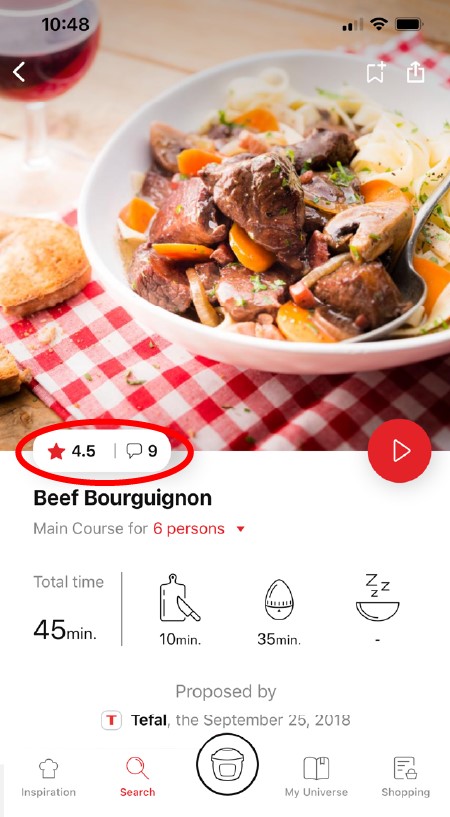
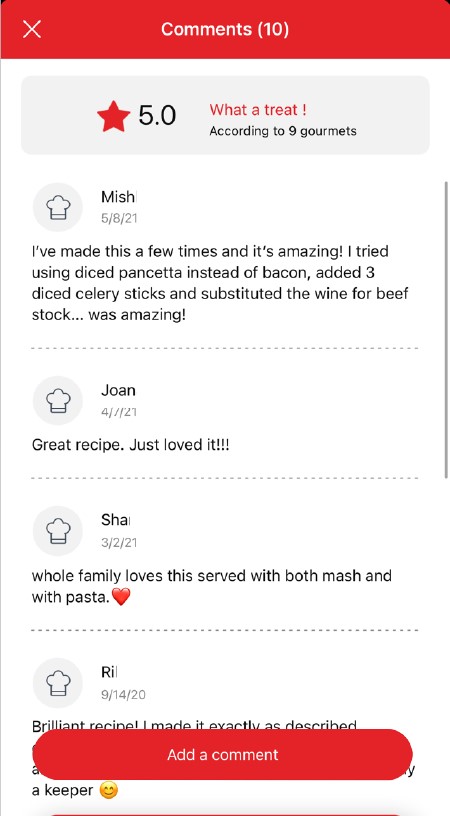
Once logged in, you will be able to read the comments and see the notes that community members have given to the recipe by clicking on the notes/comments area.
You must create an account and log in to your app to access this feature.
• Choose the "My Universe" tab in the navigation bar. • There, you will find your recipe booklets and can create new ones by clicking on "New booklet".
Choose the "My Universe" tab in the navigation bar, then select the booklet you wish to modify or delete. Click on the pencil at the top right of the screen, then select the action you are looking for ("Delete booklet", "Rename booklet" or "Delete recipes").
It is important to select your product in the app in order to find the right recipes for that product. This way, the app will suggest hundreds of ideal recipes. It will also let you add your accessories and access the associated recipes.
• In "My universe", select "My profile". • Click on the image of the registered product. • Click on "Remove the product". The app will then ask you to select a product.
Ingredients high in sugar, such as honey or candied fruit, should be used sparingly as they can burn quickly. It is recommended to monitor cooking carefully to avoid sticky and burnt residue.
Identify the source of the flame: it could be a residue on the stone, or the pizza placed too close to the burner. If so, remove it with the peel. Stay calm and wait for the flames to dissipate.
If the problem persists, turn off the appliance and contact customer service.
Always use the pizza peel to handle the pizza and avoid adding ingredients that burn easily, such as flours or semolina, or sugary foods. Clean the stone after each use to avoid residue build-up.
Pizza stones should be cleaned with a special brush or a damp sponge. It is important to never immerse them in water and to avoid aggressive detergents to preserve their quality.
• Make sure the appliance is properly plugged in and that the flame is lit. • Also check that the appliance is installed on a stable surface and that nothing is obstructing the air circulation or heat.
If the problem persists, contact the after-sales service.

 Cookies are used for audience measurement and personalization to help us improve your use of the product.